 Reviews
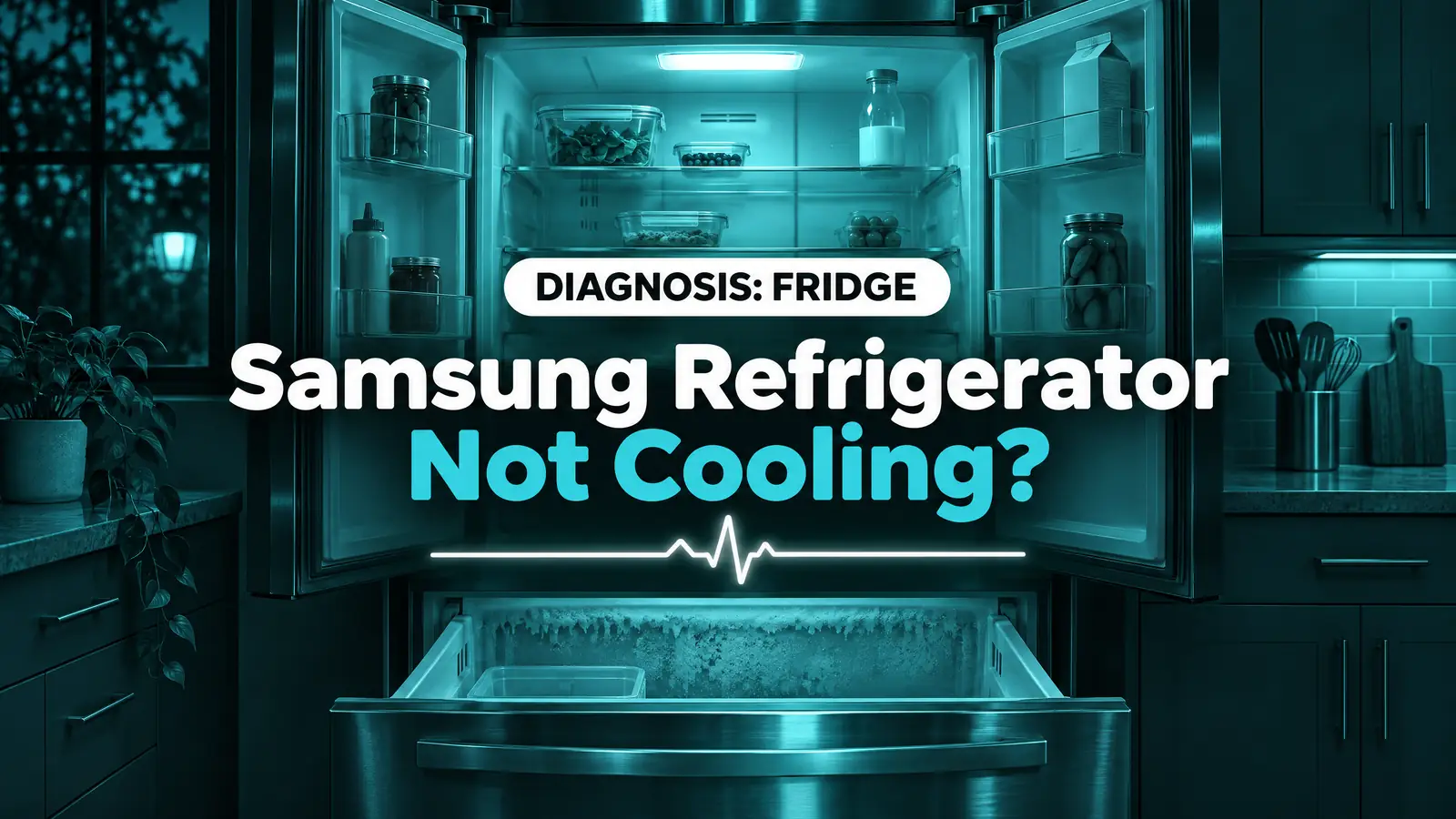
A Samsung refrigerator not cooling is most often in Cooling Off (demo) mode, set too warm, packed against its rear vents, or squeezed into a space with less than 2 inches of air around it. Samsung also says a fridge can take up to 28 hours to reach a new setting, so some “failures” are just impatience. When the settings and airflow check out, the usual parts are the evaporator fan, a defrost fault that ices the vents, a sensor or the compressor. Here is Samsung’s own check order, then what a technician tests.
Quick diagnosis
- Display shows OF OF, O FF, OFF OFF or scrolling bars: Cooling Off mode. A setting, not a fault.
- Display blinking or chiming: the fridge knows a compartment is too warm. If it’s still blinking 28 hours after you adjusted it, Samsung says to request service.
- Fridge warm, freezer cold: blocked vents, an iced-over evaporator or a stopped evaporator fan.
- Both sections warm, lights on: clearance and dust first, then the condenser fan, sensors, control board or compressor.
- An error code after a power reset: the self-test found a fault. That usually means a part, not a setting.
Triage
- Stop using it now: a burning smell, a hot or scorched plug, sparking, or a breaker that trips again after you reset it. Unplug it if you can reach the plug safely and move food to a cooler.
- Book a technician: an error code returns after a power reset, the back wall of the freezer or fridge is caked in ice, the compressor clicks on and off, or the fridge is still above 40°F after a day with correct settings.
- Safe to check yourself: Cooling Off mode, the temperature setting, vents and loading, door seals, clearance and dust at the back, and a two-minute power reset.
Samsung fridge not cooling: what each sign points to
| What you notice | Most likely cause | Who fixes it |
|---|---|---|
| OF OF, O FF or scrolling bars, lights on, no cold air, no ice | Cooling Off (demo) mode | You: button hold below |
| You changed the setting a few hours ago | Still settling (up to 28 hours) | Wait, keep doors shut |
| Warm at the front, frost or ice over the rear vents | Blocked vents or a defrost fault | You first, then a technician |
| Paper slides out of a closed door, frost near the gasket | Dirty, warped or misaligned door seal | You first, then a technician |
| Fridge warm, freezer cold, no fan sound | Evaporator fan motor | Technician |
| Both sections warm, sides of the cabinet hot, garage install | Room too hot, no clearance, dusty condenser area | You first, then a technician |
| Both warm, compressor clicks or runs nonstop, error code | Compressor, inverter board or sealed system | Technician |
Samsung’s own checks, in the right order
Before you touch anything
- Unplug the refrigerator (or switch off its breaker) before you pull it out or vacuum around the back. Roll it out slowly so the water line doesn’t kink.
- Don’t remove the rear access cover or the panel at the back of the freezer. Wiring, fans and refrigerant tubing sit behind them.
- Never chip ice off the back wall with a knife or screwdriver, and keep heat guns and hair dryers away from the plastic liner. A punctured coil ends the refrigerator’s life.
- Look for Cooling Off mode. Samsung says that if the display shows OF OF, O FF, OFF OFF or scrolling temperature bars, the refrigerator is in Cooling Off mode (also called demo or shop mode), which disables cooling, ice making and the water dispenser. The button hold depends on the panel: on many models you touch and hold the top two left buttons for 8 seconds until the fridge chimes; on others it’s Power Freeze and Freezer for 8 seconds. Family Hub models switch it off in the Fridge Manager app under Fridge Settings, Cooling Off, Deactivate.
- Check the setting, then wait. Samsung notes it can take up to 4 hours for the display to show the temperature you set and up to 28 hours for the fridge to reach it with the doors closed. Set the fridge colder, or use Power Cool, and give it that time before deciding it has failed.
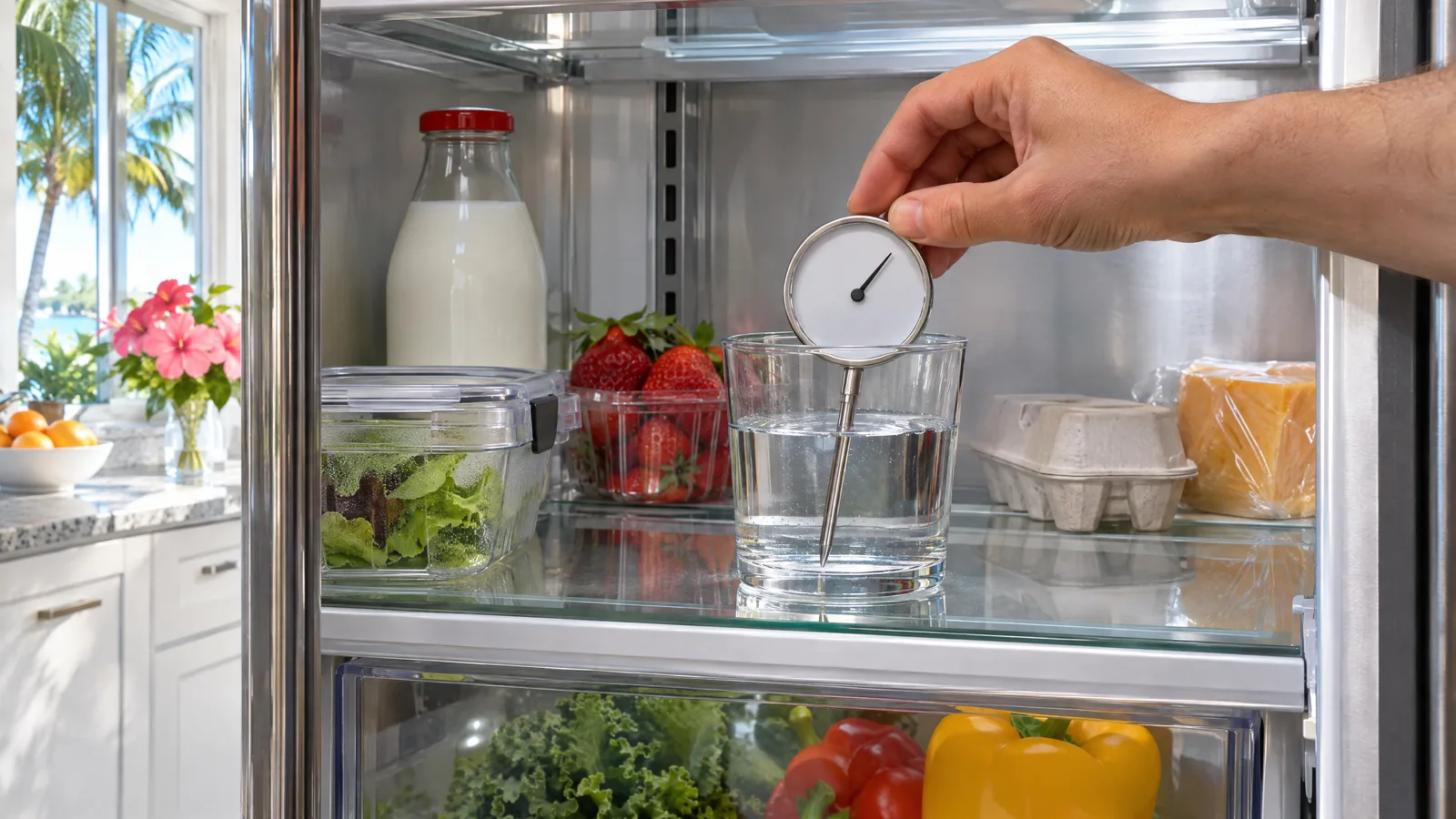
- Measure, don’t feel. The air rushes out every time you open the door, so the inside can feel warm when the food is fine. Samsung suggests touching glass or metal containers to judge how cold the food really is. A thermometer in a glass of water on the middle shelf is better still. The FDA’s line is to keep the refrigerator at or below 40°F.
- Clear the vents and fix the loading. Samsung asks for 2 inches of space in front of the interior vents and recommends keeping the fridge at least two-thirds stocked, so less warm air has to be cooled each time the door opens. Move tall containers away from the back wall.
- Test and clean the door seals. Close the door on a dollar bill. Slight resistance when you pull it out means the seal works; if it slides out easily, clean the gasket with a damp cloth and dish soap and try again. Samsung notes that frost or condensation along the inside edge near the gasket marks a spot that isn’t sealing, and that a fridge that isn’t level can fail the test because the doors are misaligned.
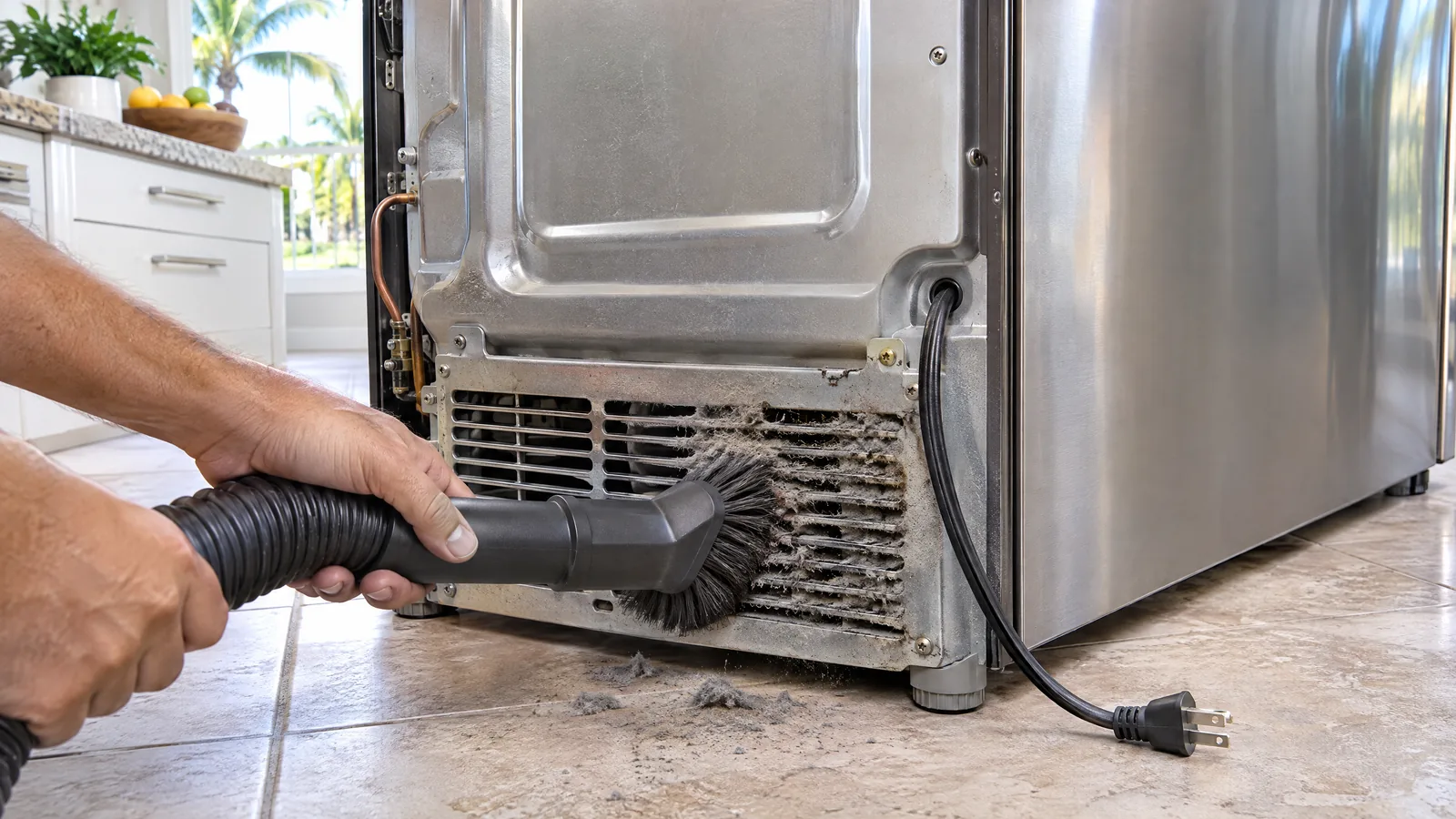
- Give it air and check the room. Samsung asks for a 2-inch gap at the top, back and sides. Unplug the fridge, pull it out and vacuum the dust from the lower rear grille. Samsung also says a room above 110°F or below 50°F stops the fridge cooling properly.
- Power-cycle it and read the result. Unplug it or switch off the breaker for 2 minutes, then restore power. Samsung explains that the fridge runs a self-test as it reboots and shows an error code if it detects a problem. If no code appears and it was not cooling at all, Samsung says about 3 hours is enough to see the temperature drop (2 hours with Power Cool on).
Samsung is also honest about when nothing is wrong: if the fridge is running, food isn’t spoiling early and no error code shows, service isn’t needed. If it still isn’t cooling after these steps, or a code appears after the reset, book a technician.
Why is my Samsung fridge not cooling but the freezer works?
Many Samsung French-door and side-by-side models cool the fresh-food section separately from the freezer, so the freezer can stay frozen while the fridge warms. When the setting, vents and seals are fine, the answer is almost always on that fridge-side cooling loop: the fan isn’t moving air, or ice has blocked the air path.
1. Iced-over evaporator or vents (defrost problem)
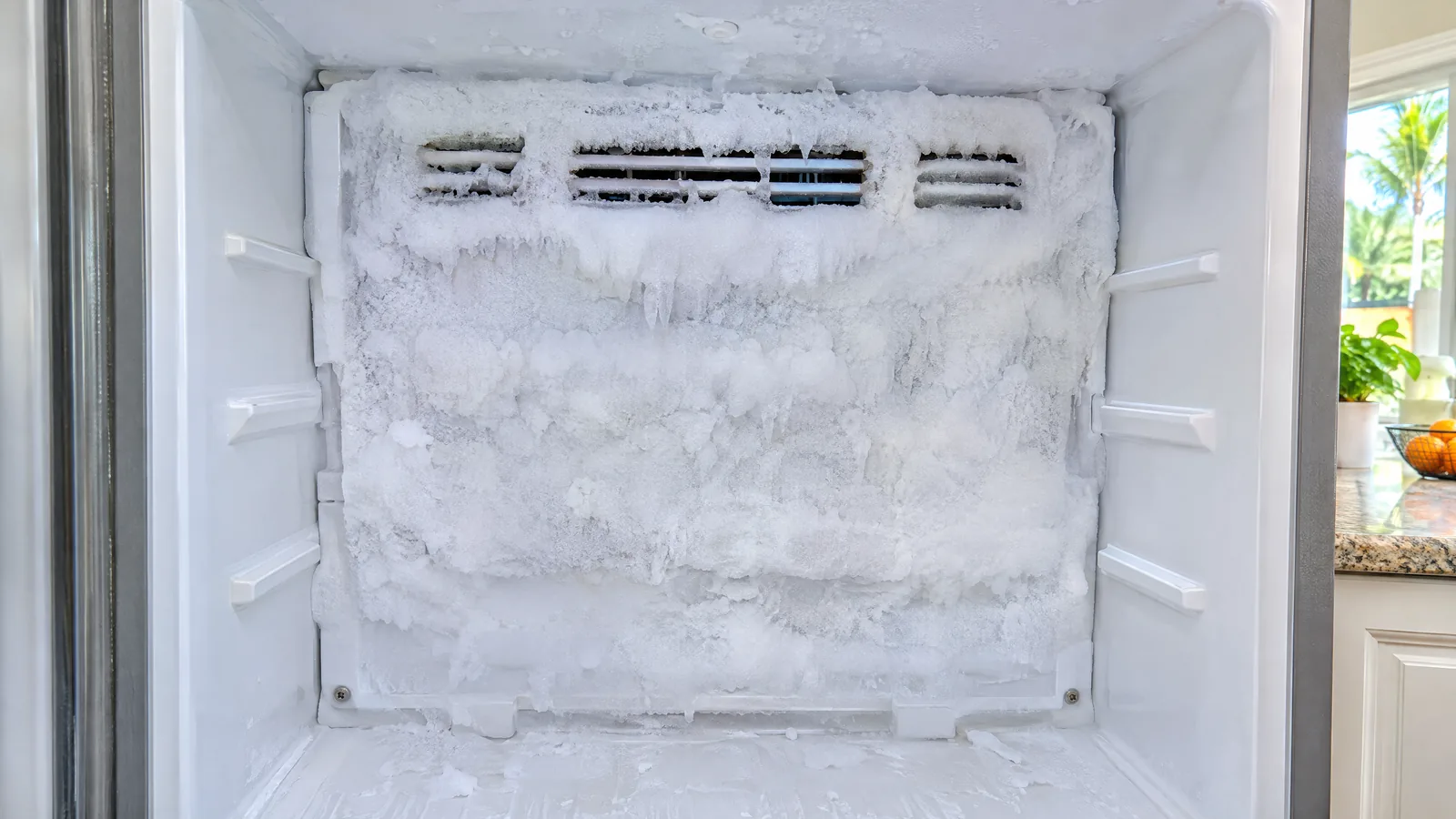
Every frost-free fridge melts the frost off its evaporator on a timer. If the defrost heater, its sensor or the drain fails, frost builds into a solid block that air can’t pass through. The fridge section warms slowly over days, and the ice usually shows through the vent slots on the back wall.
How a technician confirms it: ice packed across the vent slots or behind the rear panel, a fan you can hear but air that barely moves, and cooling that briefly returns after the fridge is switched off and the ice melts. The defrost heater, defrost sensor and drain are then tested to find which one failed. Samsung’s frost guide traces ordinary frost to warm air getting in through a door left open, hot food or a compartment that isn’t sealing, so those are ruled out first. Samsung’s own page notes that blocked vents cause overcooling that stops frost thawing on its own, so loading is checked too.
Fix: a full manual defrost buys time but doesn’t fix a failed part. HomeGuide puts defrost heater replacement at $120 to $400.
2. Evaporator fan motor
The evaporator fan pushes cold air past the coil and into the compartment. When it stops, the coil stays cold but the shelves don’t.
How a technician confirms it: no fan sound and no airflow at the vents while the compressor runs, a fan blade that is frozen in place or won’t spin freely, or a motor that gets voltage and still doesn’t turn. A noisy, chirping fan is often the warning before it quits.
Fix: replace the motor (and clear any ice that stopped it). HomeGuide lists evaporator fan motor replacement at $250 to $400; Fixr lists fan repair at $120 to $200.
3. Temperature sensor or control board
Samsung refrigerators read each compartment with sensors (thermistors) and run fans and the compressor from a main board. A sensor that reads wrong makes the board think the fridge is cold when it isn’t.
How a technician confirms it: an error code from the self-test, a sensor whose resistance doesn’t match the temperature, or a board that isn’t sending power to a fan or compressor that tests good. Boards are replaced only after the parts they drive are proven healthy.
Fix: HomeGuide puts control board replacement at $400 to $750; Fixr lists $500 to $1,000.
Why are both sections warm on my Samsung refrigerator?
When the freezer and the fridge both warm up, the problem is at the heart of the system: heat isn’t leaving the cabinet, or the refrigerant isn’t being pumped.
4. Condenser airflow and the condenser fan
The fridge sheds heat through the condenser at the bottom rear, cooled by a small fan. Dust, pet hair, a missing gap at the back or a stalled condenser fan all trap heat, and the cabinet sides often feel hot.
How a technician confirms it: heavy dust at the grille, a condenser fan that doesn’t spin while the compressor runs, or a fan blade jammed by debris. Fixr puts condenser coil cleaning at $60 to $100; HomeGuide lists a condenser fan motor at $200 to $350.
5. Compressor, inverter board or sealed system
Newer refrigerators often use a variable-speed compressor run by its own control electronics. If the compressor won’t start, clicks on and off, or runs nonstop without cooling, the cause can be the compressor, its drive board or a refrigerant leak.
How a technician confirms it: fans running and condenser clean, yet the compressor is silent or cycling every few seconds, an error code pointing to the compressor circuit, or a coil that never gets cold. This work is technician-only and involves the sealed refrigerant system.
Fix: HomeGuide puts compressor replacement at $700 to $1,250 and a full sealed-system repair at $600 to $1,400; Fixr lists compressor work at $500 to $1,000. Check your Samsung warranty paperwork before paying for compressor work.
Does Florida heat stop a Samsung fridge from cooling?
It can. Samsung’s own limit is that a refrigerator in a room above 110°F won’t cool properly, and an uninsulated Florida garage in July can get close to that. A second fridge in the garage that quits on hot afternoons may be working exactly as designed for the room it’s in, especially with dust on the grille and no gap behind it.
Storms are the other Florida factor. The Atlantic hurricane season runs from June 1 to November 30, and Ready.gov notes that power may return with momentary surges or spikes and suggests disconnecting appliances during an outage. If your Samsung was fine before a storm and won’t cool after it, run the two-minute power reset above and watch for an error code. On food, the FDA says to discard refrigerated perishables that sat above 40°F for four hours or more.
What does it cost to fix a Samsung refrigerator that isn’t cooling?
| Repair | HomeGuide | Fixr |
|---|---|---|
| Average fridge repair | $125 to $500 | $350 to $500 |
| Evaporator fan | $250 to $400 | $120 to $200 |
| Defrost heater | $120 to $400 | Not listed |
| Door seal | $100 to $300 | $60 to $100 |
| Control board | $400 to $750 | $500 to $1,000 |
| Compressor | $700 to $1,250 | $500 to $1,000 |
Prices vary with the model and the part. The technician tests the fridge, explains what failed and gives you the price before any work starts.
Prognosis: repair or replace?
- Fan, defrost part, sensor or seal: repair. These are the common faults, and they cost a fraction of a new French-door refrigerator.
- Control or inverter board: usually worth repairing on a newer or high-end model; get the quote first.
- Compressor or sealed system out of warranty on an older fridge: compare the quote with HomeGuide’s $675 to $2,500 range for a replacement. If the repair is more than about half the cost of a comparable new fridge, replacing often makes more sense.
When to call a technician
Call when the settings, vents, seals and clearance are right and the fridge is still above 40°F after a day, when an error code comes back after the reset, or straight away if the back wall is iced over or the compressor keeps clicking. We repair refrigerators across Tampa Bay, Orlando, Jacksonville and Sarasota, and our Samsung repair technicians work on French-door, side-by-side and Family Hub models. Own an LG instead? See LG refrigerator not cooling. For target settings, see what temperature a refrigerator should be.
Frequently asked questions
Does a Samsung refrigerator have a reset button?
Not for cooling. The reset Samsung recommends is a power cycle: unplug the fridge or switch off its breaker for 2 minutes, then restore power. The fridge runs a self-test as it restarts and shows an error code if it finds a fault. Some panels have a separate button hold to clear Cooling Off mode.
Why does my Samsung fridge light work but it isn’t cold?
Lights and display running with no cooling is the classic sign of Cooling Off mode, which keeps the lights on but disables cooling, ice and water. Check the display for OF OF, O FF or scrolling bars. If the display shows normal temperatures, the fan, defrost system or compressor is the next suspect.
How long should a Samsung fridge take to get cold?
Samsung says the display can take up to 4 hours to show a new setting and the fridge up to 28 hours to reach it with the doors closed. After a power reset on a fridge that had stopped cooling, about 3 hours should show a clear drop, or 2 hours with Power Cool on.
Is it the compressor if my Samsung fridge stopped cooling?
Usually not. Settings, airflow, an iced evaporator and fan motors cause far more not-cooling calls than compressors. Suspect the compressor when both sections are warm, the fans run, the condenser area is clean and the compressor is silent or clicks on and off. A technician confirms it before anything expensive is ordered.
Can I keep food in a Samsung fridge that isn’t cooling?
Go by a thermometer. The FDA’s limit is 40°F: perishable food that has been above that for four hours or more should be thrown out. Move meat, dairy and leftovers to a cooler with ice while you troubleshoot, and keep the doors closed as much as possible.
Appliance Doctor Pro
Samsung still warm after the checks?
A technician will test the fans, defrost system, sensors and compressor, explain what failed and give you the price before any work begins. Repairs carry our 90-day repair warranty, and we’re open 7 days a week with same-day appointments in most cases.
General information for homeowners. Panel layouts and button sequences differ by Samsung model, so check your user manual, and check your warranty before paying for compressor or sealed-system work.
Sources
- Samsung US Support: Cooling issues with Samsung refrigerator or freezer
- Samsung US Support: Refrigerator shows code OF OF, O FF, or scrolling bars
- Samsung US Support: Frost forms in the freezer, refrigerator, or ice bucket
- FDA: Are You Storing Food Safely?
- Ready.gov: Power Outages
- National Hurricane Center: Tropical Cyclone Climatology
- HomeGuide: How much does refrigerator repair cost?
- Fixr: Refrigerator repair cost