 Reviews
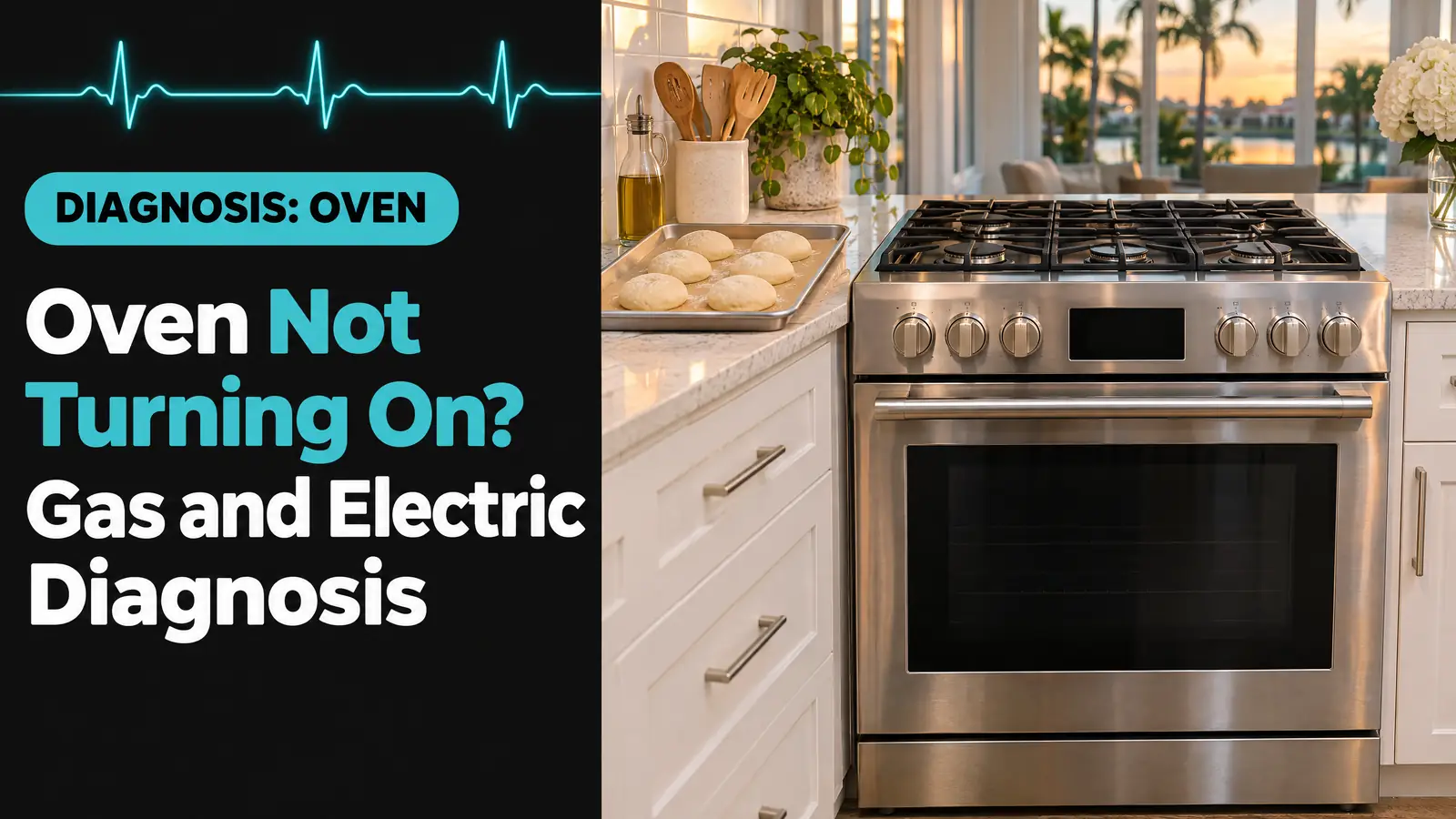
An oven not turning on is usually missing one of three things: power, gas, or permission from its own control. A tripped breaker, a closed gas shut-off, a control lock, a delay timer or Sabbath mode explain many “dead” ovens and cost nothing to fix. After those, the usual parts are the gas igniter, the bake element, a thermal fuse or the control board. Here is the order a technician checks them, with repair costs.
Quick diagnosis
- Display dark, nothing responds: breaker, fuse or plug first, then a blown thermal fuse or a failed control board.
- Display on, buttons ignored: control lock, delay start, demo mode or Sabbath mode. A setting, not a fault.
- Gas oven: burners light, oven doesn’t: the oven shut-off on the pressure regulator, an open door, or a weak igniter.
- Electric oven: display works, no heat: a burned-out bake element or half of a 240-volt breaker tripped.
- Dead right after self-clean or a storm: thermal fuse, door lock circuit or control board. A power reset is worth one try first.
Triage
- Stop using it now: any smell of gas, a breaker that trips again right after you reset it, sparks or a burning smell from the oven cavity, or a bake element that flared and split. Leave the breaker off and, for gas, follow the gas-smell steps in the box below.
- Book a technician: the display is dead with a good breaker, the igniter glows but the gas never lights, an element shows a break or blister, or a code returns after a power reset.
- Safe to check yourself: the breaker or fuse, the plug, the gas shut-offs, the door, the storage drawer, the control lock, delay start, demo and Sabbath modes. No tools needed.
Oven not turning on: match what you see to the cause
| What you notice | Most likely cause | Who fixes it |
|---|---|---|
| No display, no lights, no beeps | Breaker, fuse or plug; then thermal fuse or control board | You first, then a technician |
| Display lit, keypad does nothing, lock icon or LOC shown | Control lock is on | You: hold the lock button |
| Display shows only the time, or a backwards C | Sabbath mode, or a delay start counting down | You: turn the mode off |
| Display plays a feature video or says showroom | Demo mode | You: follow the prompts or the manual |
| Gas burners light, oven makes no sound and no heat | Regulator shut-off closed, door not shut, or igniter | You first, then a technician |
| Gas oven igniter glows orange but no flame | Weak igniter that can’t open the gas valve | Technician |
| Electric oven display works, oven stays cold | Bake element, or one side of the 240-volt breaker | Technician |
| F9 or another code after an outage | Control saw voltage “noise”; possible wiring fault if it returns | You: one reset; then an electrician or technician |
Why is my oven not turning on at all?
A completely dark oven has lost power somewhere between the panel and the control board. In most homes that is the breaker. Whirlpool’s own checklist for a range where nothing works starts with a blown household fuse or a tripped breaker, then the power cord, and only then a service call (Whirlpool).
Gas ovens need electricity too. The clock, the control and the igniter all run on a standard plug, so a gas range with a tripped kitchen circuit or a loose cord acts exactly like a dead electric one. If the breaker is on and the cord is seated, the next suspects are internal: a thermal fuse that opened after overheating, or a control board that no longer powers up.
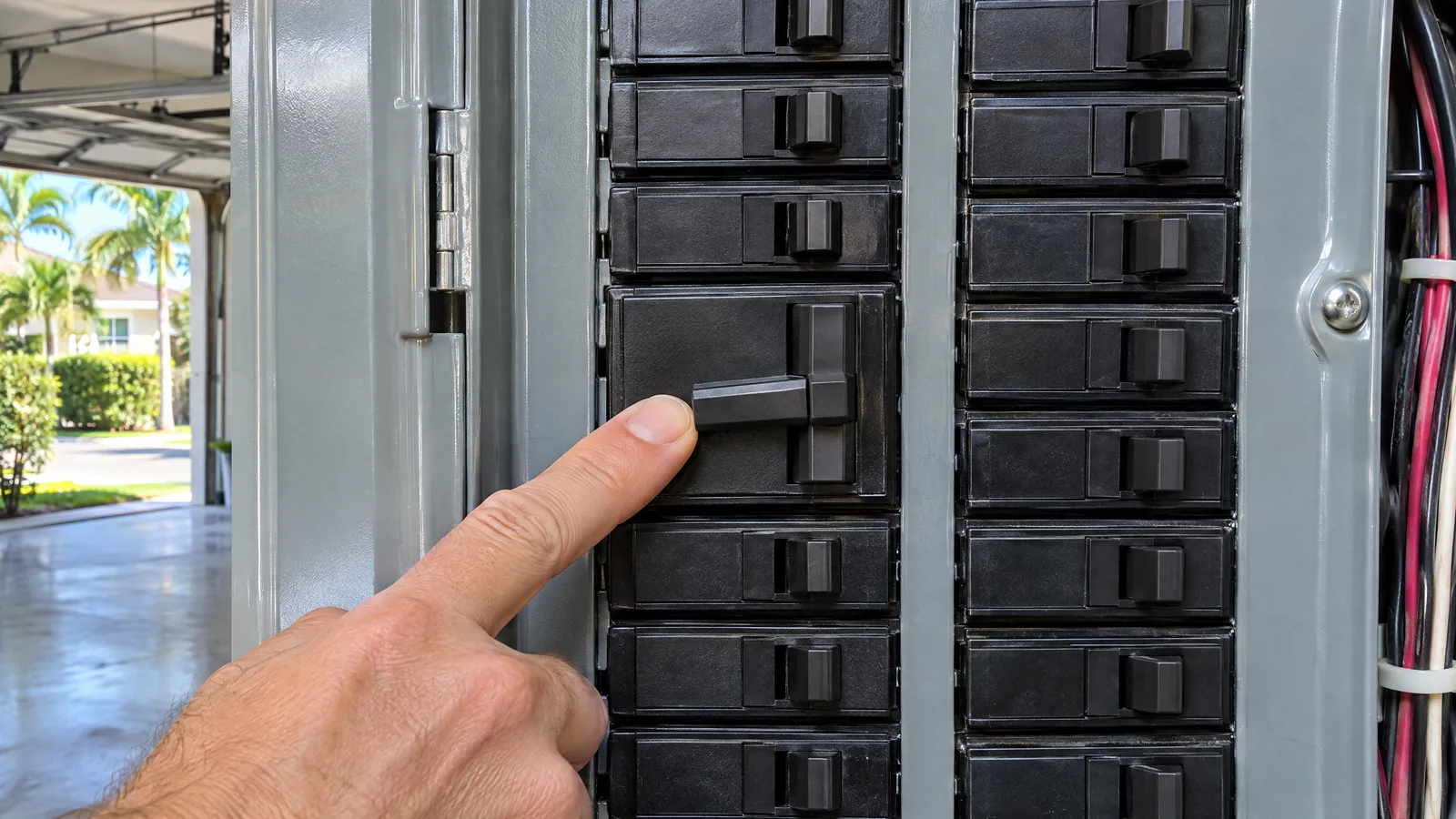
Check these first (no tools)
Before you touch anything
- Every check here is done from the front of the range, the storage drawer and the breaker panel. Don’t remove the back panel, the oven floor or the control cover.
- If you smell gas: don’t touch light switches, the range controls or anything else that could spark. Get everyone out, then call 911 and your gas utility from outside. Peoples Gas customers can use its leak line, 877-832-6747 (Peoples Gas).
- Let a hot oven cool fully before you open the door or look at the elements.
- Reset the breaker properly. Find the oven or range breaker, switch it fully off, wait at least 30 seconds, then switch it back on. Whirlpool gives the same reset for an electric range (Whirlpool). A double-pole breaker can trip on one side only, so a handle that looks “on” may still be half off.
- Check the plug. Slide a freestanding range out a few inches and confirm the cord is pushed fully into the outlet. For a gas range, Whirlpool calls for a 120-volt grounded, working outlet (Whirlpool).
- Turn off the control lock. A locked keypad ignores every button. Look for “Control Lock”, a padlock icon or LOC on the display. Whirlpool says the reset is usually holding the lock button or buttons for 3 seconds; GE describes LOC as a child lockout that stops the oven from being turned on accidentally (GE Appliances).
- Cancel delay start. An oven set for a delayed bake won’t heat until its start time. Press Cancel or Off and start the bake again.
- Get out of demo and Sabbath mode. In demo mode the oven won’t heat and the display runs a short feature presentation instead. A backwards C on a GE display means Sabbath mode, which stays on until someone turns it off and comes back after a power failure (GE Appliances). The exit button combination is in your owner’s manual.
- Close the door all the way. On many models the bake and broil heat won’t come on with the door open. Check that a rack or a pan handle isn’t holding it a fraction of an inch ajar.
- Gas ranges: check both gas valves. The main shut-off is usually on the pipe right where it comes through the wall or floor behind the range. Many gas ranges also have a second shut-off lever on the pressure regulator, often reached from the storage drawer. When that lever is off, Whirlpool says gas still reaches the cooktop burners but not the oven, and it can be bumped closed by pans stored in the drawer (Whirlpool). Empty an overloaded drawer, since its contents can also hit the igniter.
- Take out foil and oven-bottom liners. Whirlpool lists foil or a liner on the oven bottom as a cause of a gas oven not working properly and says not to use them.
If the oven still won’t start with the breaker reset, the gas on, the door shut and every mode cleared, the problem is a part. That is the point to book a technician rather than keep resetting it.
The diagnosis: what fails, and how a technician confirms it
1. Gas igniter too weak to open the valve
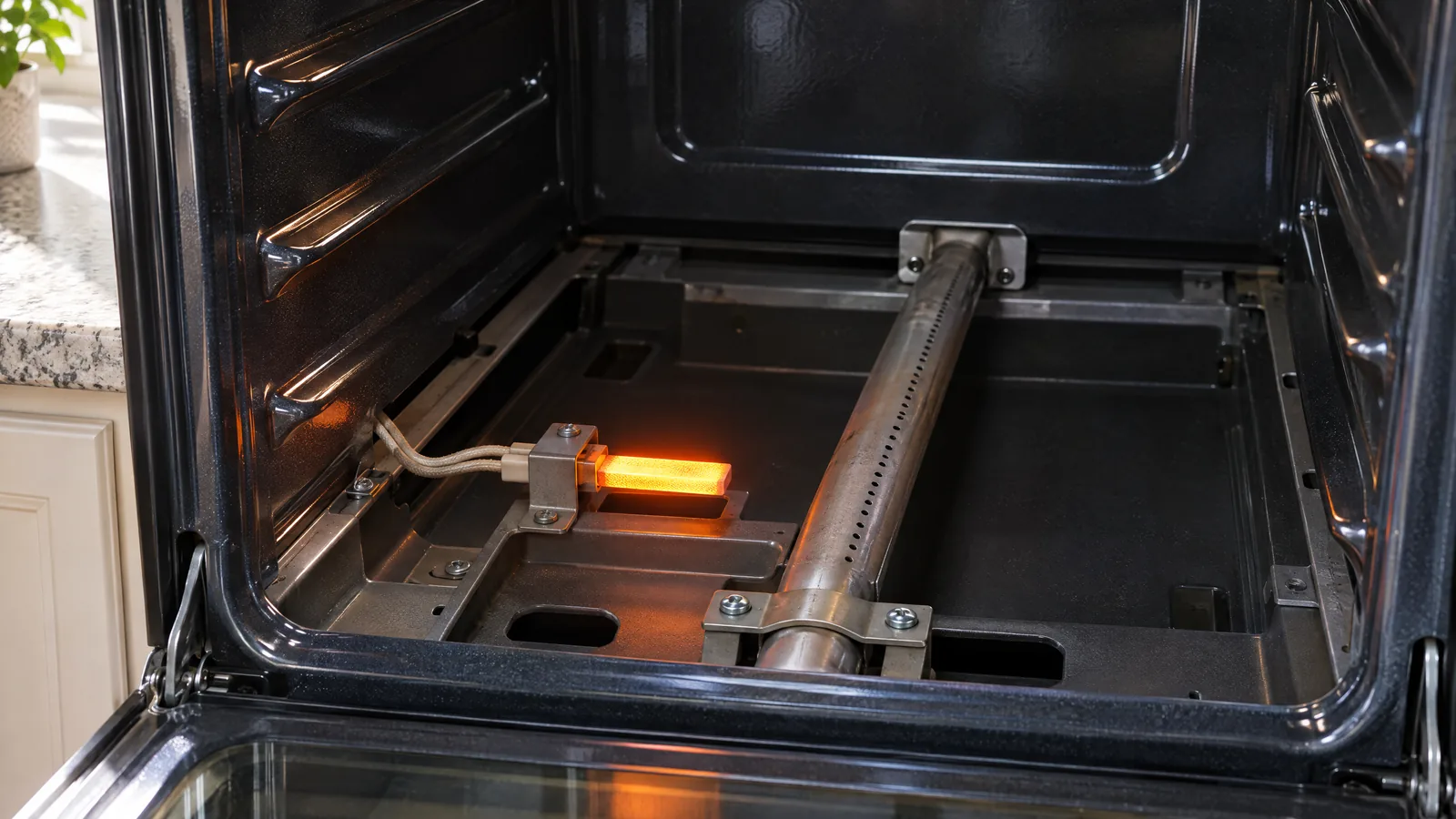
Most gas ovens use a hot-surface igniter, a small grey bar that glows orange. The gas safety valve only opens once the igniter draws enough current, so an igniter can glow and still be too weak to let gas through. Wolf puts normal lighting at 30 to 45 seconds and up to a minute on a new range, and says to stop using an oven that won’t ignite or smells of gas without lighting (Sub-Zero Wolf).
How a technician confirms it: they watch the igniter through the bottom panel slots with the oven set to bake. A glow that runs well past a minute with no flame, or no glow at all with power present, points at the igniter. An amp meter reading against the maker’s spec settles whether it is the igniter or the valve.
Fix: igniter replacement. HomeGuide puts it at $150 to $325 installed; Fixr puts igniter repairs at $150 to $250 on average.
2. Burned-out bake element (electric)
If the display and clock work but an electric oven stays cold on bake, the bake element is the first suspect. A healthy element glows bright orange when it heats. A failed one often shows a visible split, a blister or a burnt spot, sometimes after a bright flash.
How a technician confirms it: with the power off, they check the element for continuity with a meter. No continuity means an open element. If broil works but bake doesn’t, that also points straight at the bake element rather than the control.
Fix: HomeGuide gives $150 to $450 to replace an oven heating element, Fixr $150 to $400.
3. One side of a 240-volt circuit is down
Electric ranges run on two hot legs. If one side of the double-pole breaker trips, or a wire at the terminal block on the back of the range loosens, the 120-volt clock and lights can keep working while the 240-volt elements get nothing.
How a technician confirms it: a voltage check at the terminal block with the range on its circuit. Correct voltage there moves the search inside the oven; missing voltage means the breaker or the house wiring, which is a job for an electrician.
4. Control lock, modes or a confused control board
Electronic controls can lock up after a power blip. Whirlpool explains that “noise” on the power line during an outage can make the control read the voltage as wrong and show F9 or F9 E0. One breaker reset usually clears it. If F9 keeps coming back, Whirlpool warns the outlet may be miswired and says to disconnect power and call a qualified electrician (Whirlpool). Code meanings differ by brand: on GE ovens, F9 relates to the door lock circuit instead.
How a technician confirms it: if the board gets correct supply voltage but sends nothing to the igniter or element relays, the board is at fault. Control boards cost $150 to $600 to replace according to HomeGuide, and Fixr gives $200 to $600.
5. Thermal fuse or door lock after self-clean
A self-clean cycle runs the oven far hotter than baking does. Many ovens have a thermal fuse or thermal cutoff that opens if the cabinet overheats, and an oven that is completely dead straight after a self-clean is a common pattern. HomeGuide lists a blown thermal fuse among the main reasons an oven won’t work.
How a technician confirms it: continuity across the fuse with power off. A fuse that blows does so for a reason, so they also check the cooling fan, the door lock and the temperature sensor before replacing it. Don’t run another self-clean until it has been checked.
A door lock that won’t release after self-clean has a similar effect: the control won’t start a bake if it can’t confirm the door position. GE uses FC or F9 for faults in the door lock circuit and says a breaker reset for a minute or two sometimes clears a code. Never pry a locked oven door open; the latch is a safety device.
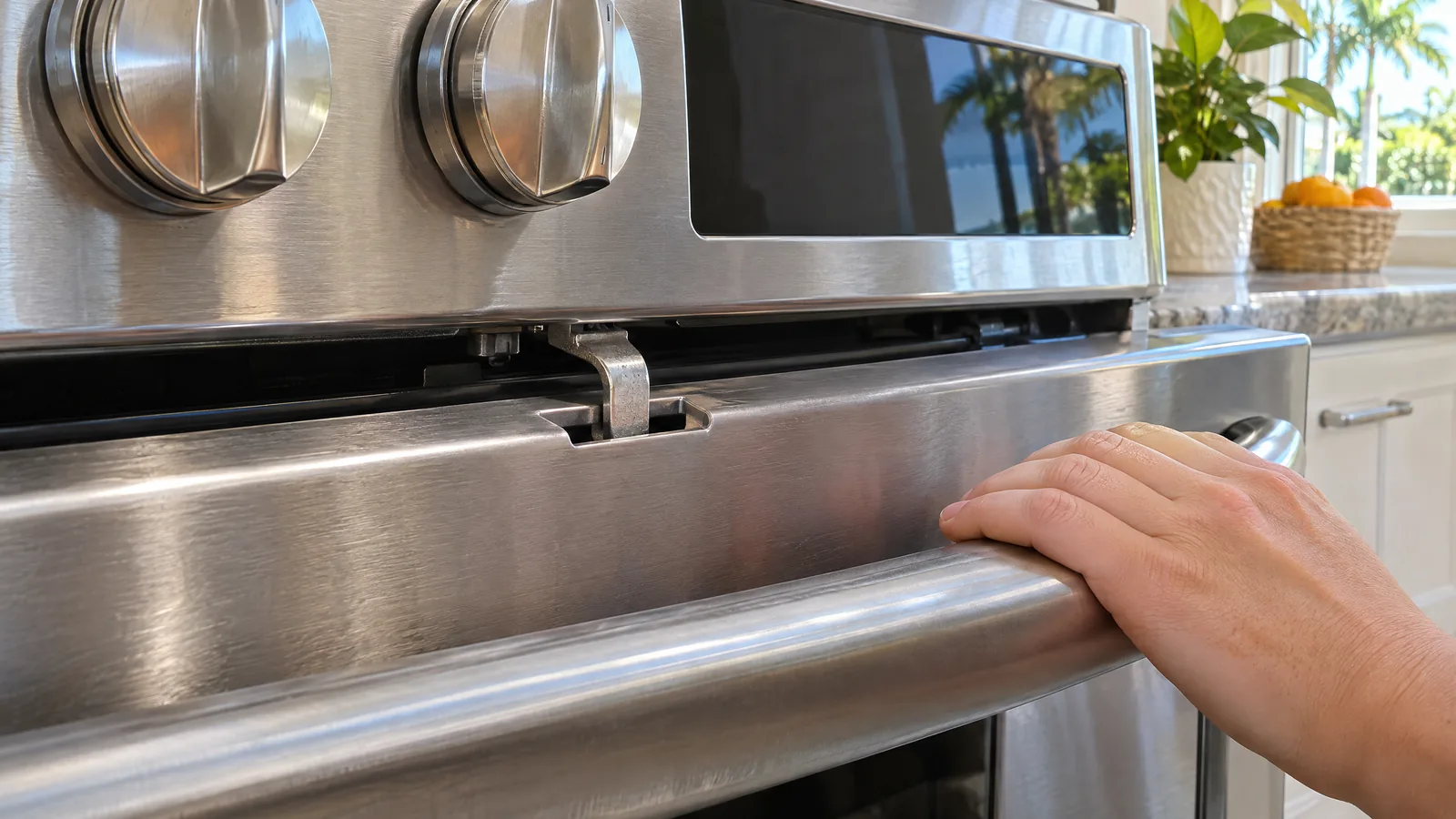
Oven not turning on but the stove works: gas or electric?
On a gas range, working burners prove gas reaches the range, so look at the oven-only parts: the pressure regulator shut-off lever (it can feed the cooktop and starve the oven), a door that isn’t shut, the oven igniter and the oven safety valve. On an electric range, working burners prove the breaker is mostly on but not that both legs are; after that, the bake element and the oven control are the likely failures.
Why won’t my oven turn on after a Florida power outage or storm?
Florida’s hurricane season runs from June 1 to November 30 (National Hurricane Center), and summer thunderstorms bring outages through the rest of the year. Ready.gov warns that power may come back with momentary surges or spikes that damage equipment, and advises switching off or disconnecting appliances during an outage (Ready.gov). For an oven, that means:
- When the power fails, switch the range breaker off so the oven doesn’t take the surge when the grid comes back.
- After power returns, switch the breaker on and don’t press any keys for the first 10 seconds. Whirlpool notes that pressing keys during that power-up delay can trigger F9.
- If the oven is dead, shows a code, or Sabbath mode has come back on, do one 30-second breaker reset. If that doesn’t clear it, the control board or a fuse may have taken the surge.
- Never use a gas oven or stovetop to heat the house during an outage. Ready.gov says so directly because of carbon monoxide.
Prognosis: oven repair costs and the repair-or-replace call
| Repair | HomeGuide | Fixr |
|---|---|---|
| Gas igniter replacement | $150 to $325 | $150 to $250 |
| Bake or heating element | $150 to $450 | $150 to $400 |
| Control board replacement | $150 to $600 | $200 to $600 |
| Most oven repairs overall | $150 to $350 | Service call around $100 if you decline the repair |
Prices vary with the brand, the part and whether it is in stock. A technician gives you the price before any work starts.
Prognosis: repair or replace?
- Repair: an igniter, element, thermal fuse or door lock on a range that is otherwise sound. These are single-part fixes and usually cost a fraction of a new range.
- Think it over: a control board on an older, low-cost range, especially if the cooktop also has problems. Compare the quote with a new range of the same type.
- Replace: a range with rust-through in the oven cavity, a cracked cooktop plus a failed board, or repeated failures in the last year. Fixr calls repeated service calls in a year a red flag.
When to call a technician
Call once the free checks are done and the oven still won’t start, when a gas oven’s igniter glows without lighting, when an electric oven stays cold with the display working, or any time a breaker trips again. We repair ovens across Tampa Bay, Orlando, Jacksonville and Sarasota, including Whirlpool, GE and Wolf ranges, with same-day appointments in most cases. If the cooktop is the part giving trouble, see our guide to glass cooktop repair.
Frequently asked questions
Is there a reset button on an oven?
Most ovens don’t have a dedicated reset button. The reset is the breaker: switch it off for 30 seconds to a minute, then back on, and don’t touch the keypad for the first 10 seconds. That clears many control glitches and codes caused by outages. If a code comes straight back, it points to a part or wiring fault.
Why is my gas oven not turning on but the burners work?
Working burners prove the range has gas. Check the shut-off lever on the pressure regulator, often reached through the storage drawer, because when it is off the burners still get gas and the oven doesn’t. Then check the door is shut. If both are fine and the igniter glows without lighting, the igniter is the likely part.
How long should a gas oven igniter glow before it lights?
Wolf says gas ovens take 30 to 45 seconds to light and up to a minute on a new unit. An igniter that glows much longer than that with no flame usually isn’t drawing enough current to open the gas valve. Turn the oven off and book a repair rather than trying again and again.
Why won’t my oven turn on after cleaning?
After a self-clean, the usual causes are a thermal fuse that opened from the heat or a door lock that didn’t release. After a manual clean, check that the control isn’t locked and that water didn’t get into the keypad; let it dry fully before trying again. A dead display after self-clean needs a technician.
Appliance Doctor Pro
Oven still dead? Get it diagnosed.
A technician will test the igniter, element, fuse and control, explain what failed and give you the price before any work begins. Repairs carry our 90-day repair warranty, and we’re open 7 days a week.
General information for homeowners. Lock buttons, mode exits and code meanings differ by brand and model, so check your owner’s manual before changing settings. Gas and electrical repairs inside the range are technician work.
Sources
- Whirlpool Product Help: Oven Not Working, Electric
- Whirlpool Product Help: Not Working After Power Outage, Electric Range
- Whirlpool Product Help: Circuit Breaker Tripped or Fuse Blown, Electric Range
- Whirlpool Product Help: Oven Not Working, Cooktop Working, Clicking
- Whirlpool Product Help: Oven Not Working, Cooktop Working, Not Clicking
- GE Appliances: Range and Wall Oven Error, Fault or Function Codes
- GE Appliances: Range and Wall Oven Sabbath Mode
- Sub-Zero Wolf: Gas Oven Bake Burner Not Working
- Peoples Gas: If You Smell Gas
- Ready.gov: Power Outages
- National Hurricane Center: Tropical Cyclone Climatology
- HomeGuide: Oven repair cost
- Fixr: Oven repair cost